The room sees a deck. You see the notes.
Every case turns into a full-screen client presentation — an agenda rail your client can follow, chapter jumps when they ask to skip ahead, and the savings figure on screen the whole time. No exporting to slides. No version drift.
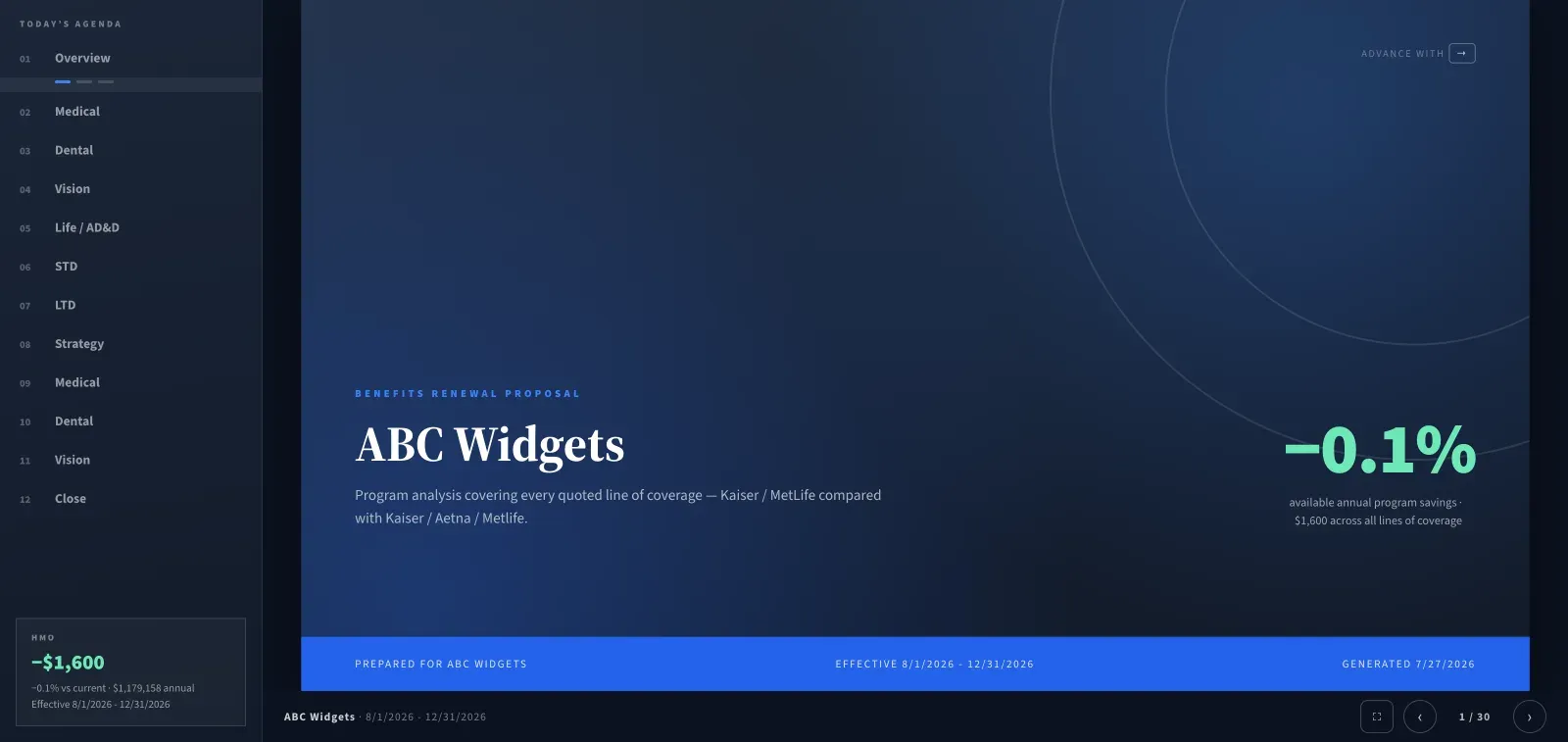
Built for a projector, not a shared spreadsheet
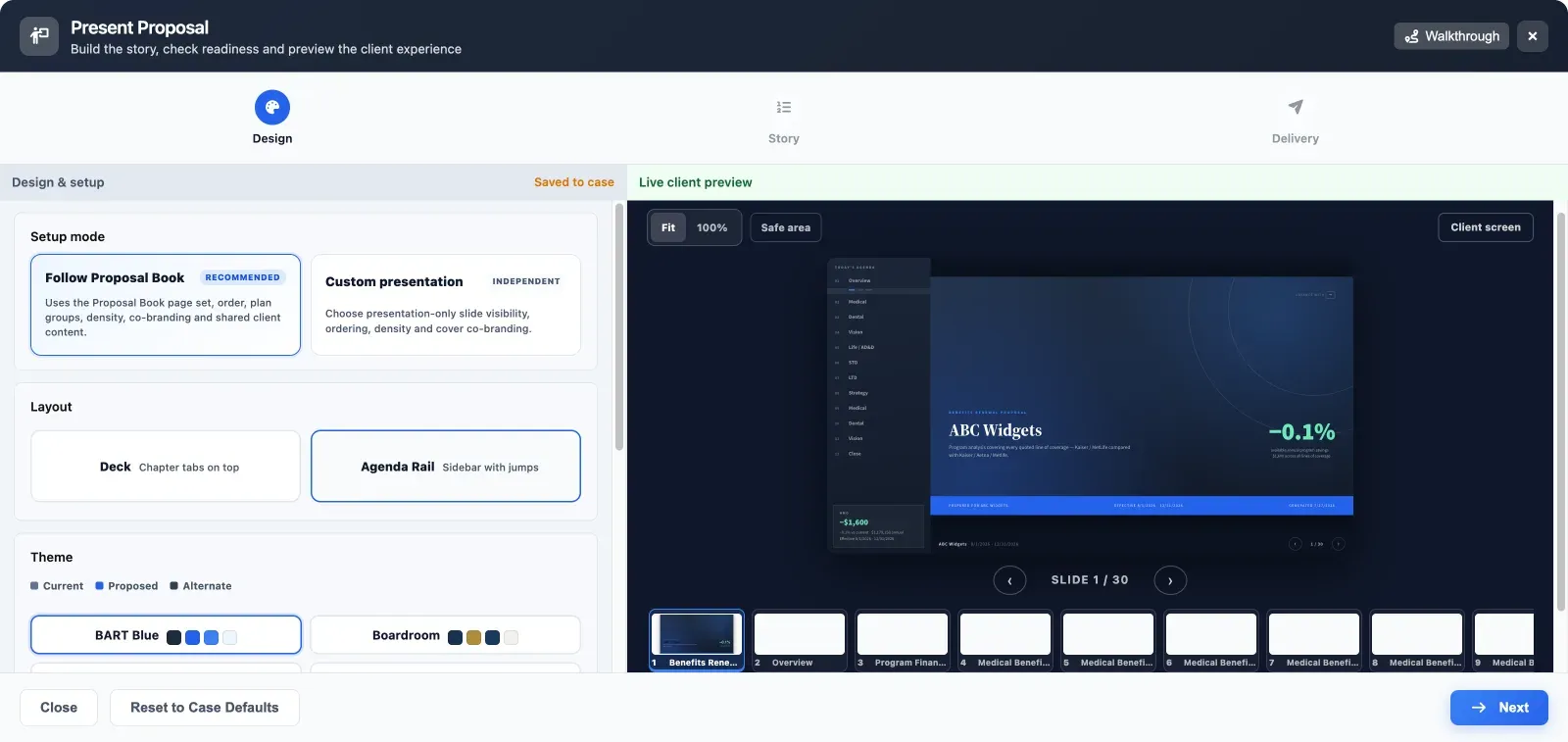
Two layouts — chapter tabs across the top, or an agenda rail with jumps down the side. Pick a theme, map your colors to current, proposed and alternate, and the whole deck follows.
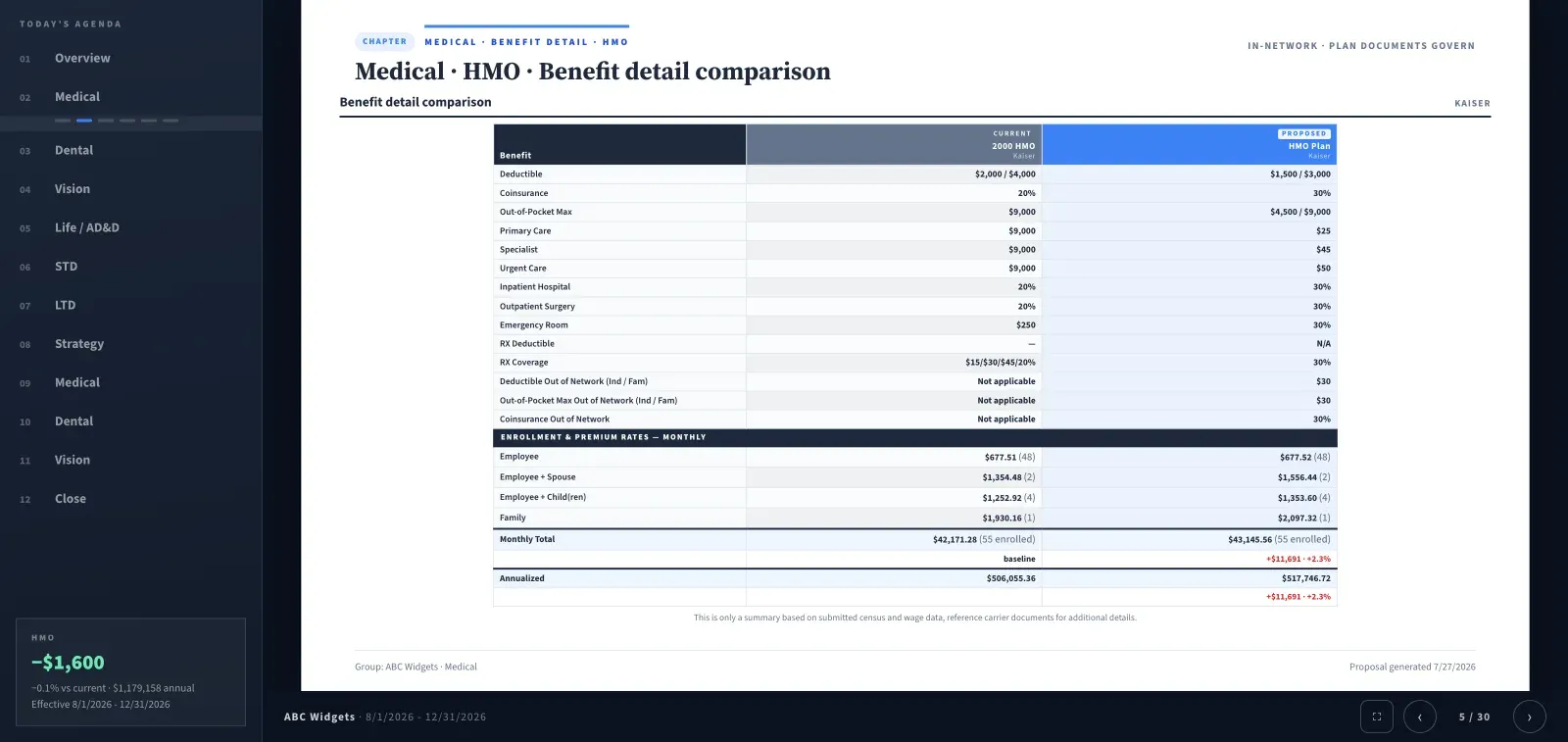
Benefit detail, side by side
Current against proposed, with enrollment and premium rates on the same slide.
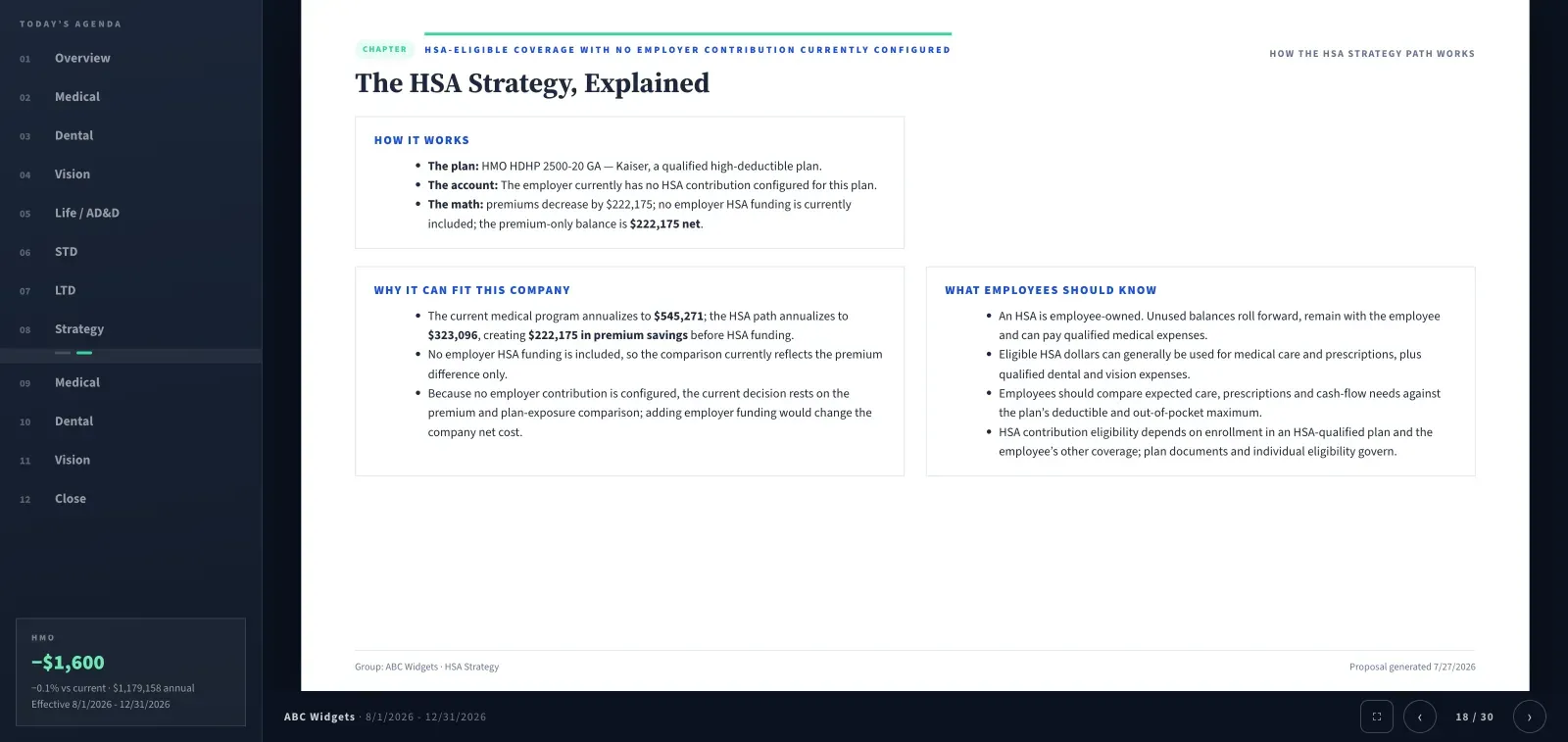
The strategy, in plain language
Why the recommendation works, written for the committee rather than the underwriter.
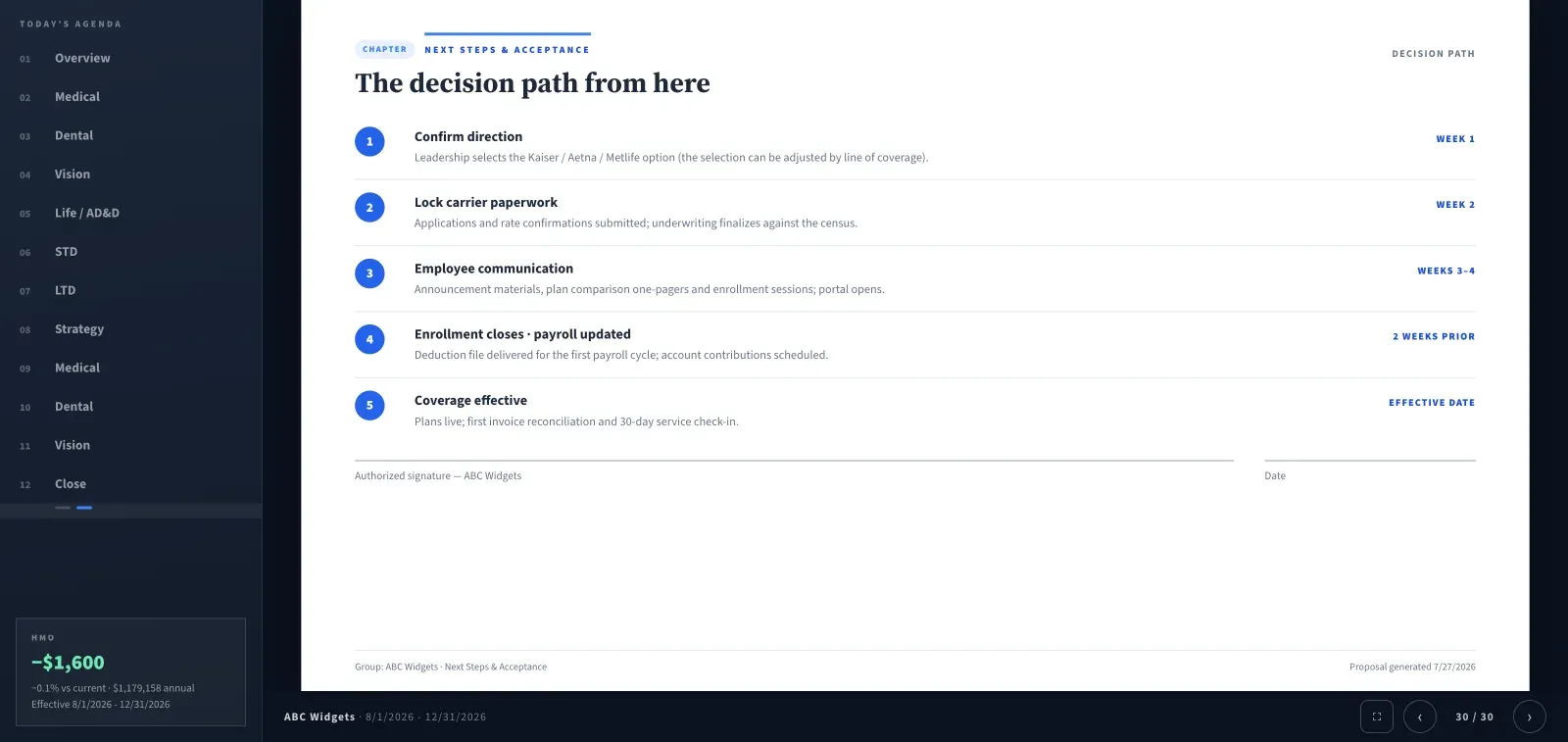
The decision path
Close on next steps and acceptance instead of trailing off on a spreadsheet.
Slides shown are from a sample case. Chapter and slide counts follow the coverage lines in yours.
Two sets of notes. Only one is public.
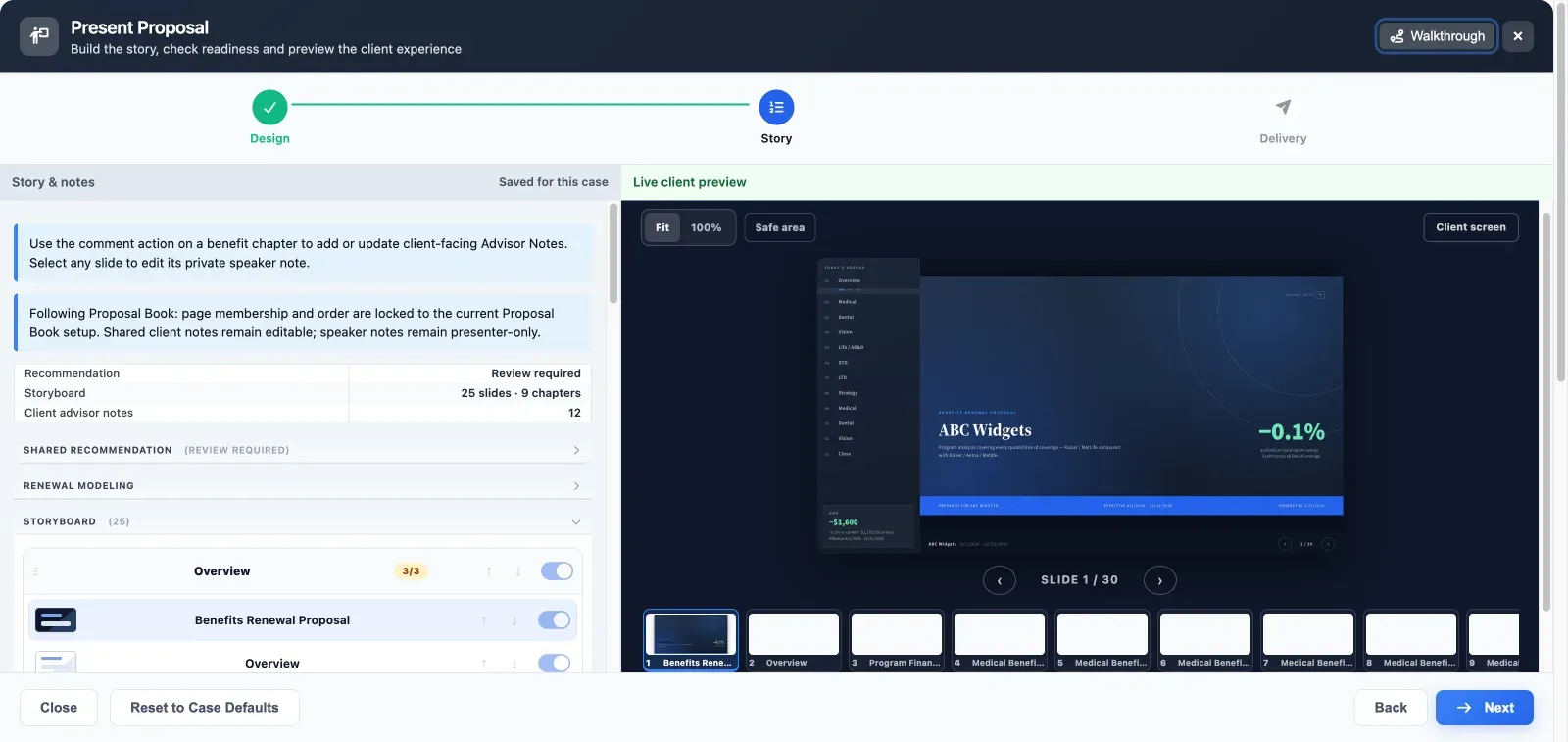
Advisor notes are client-facing
Add them from the comment action on any benefit chapter. They stay on screen for the room to read.
Speaker notes stay private
Select any slide to write a note only you see while presenting.
Storyboard controls what shows
Reorder chapters and toggle individual slides off without touching the proposal book.
Source evidence on demand
Enable the interactive presenter and pull up the document a rate came from, mid-meeting.
Nothing goes on screen unchecked
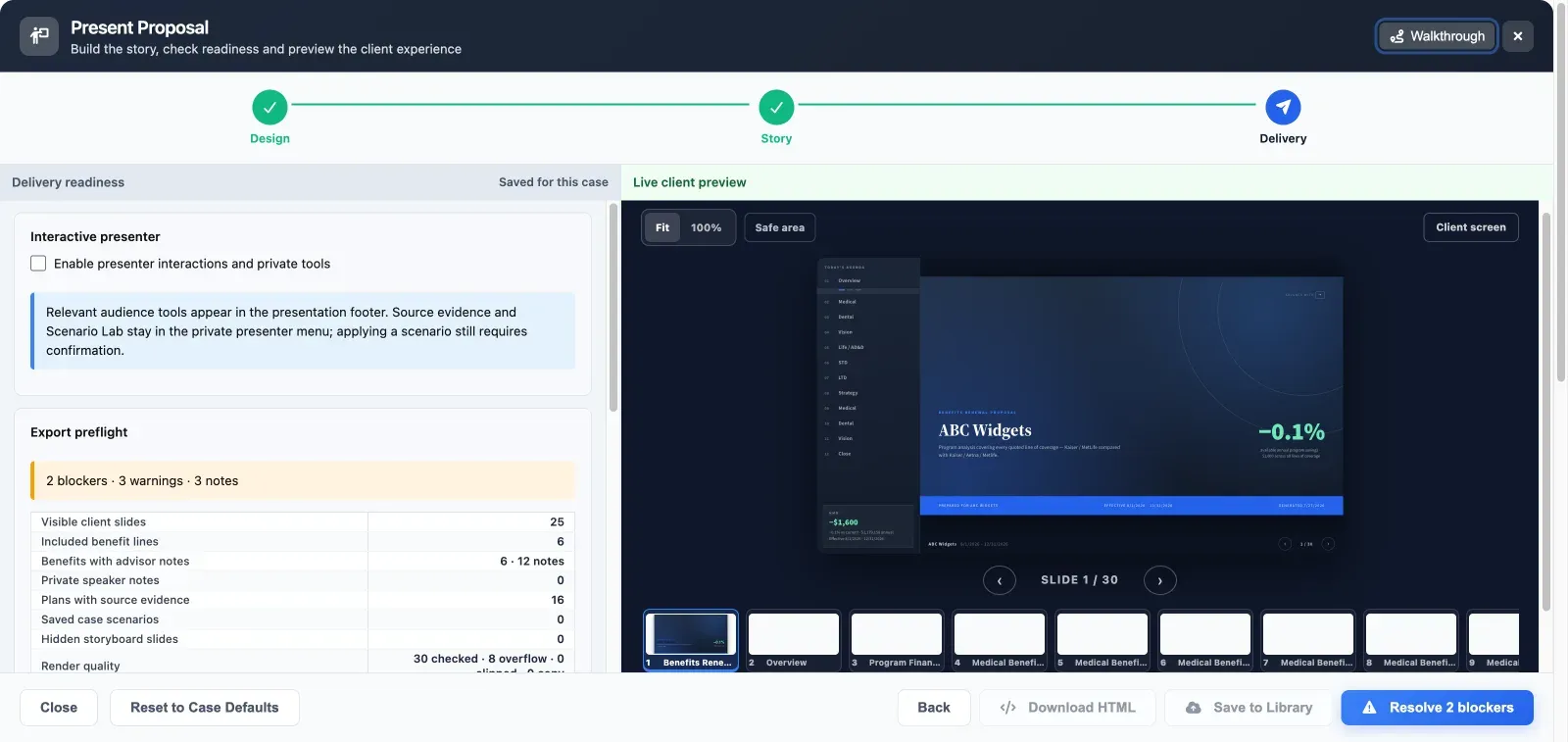
Before you can hand the deck over, BART runs an export preflight and counts the blockers. It reports on:
- Visible client slides and included benefit lines
- Which benefits carry advisor notes, and how many
- Plans backed by source evidence
- Hidden storyboard slides you may have forgotten
- Render quality — every slide checked for overflow and clipping
Clear the blockers and you can download the deck as self-contained HTML or save it to your library for next renewal.
Follow the proposal book, or tell a different story
Lock the deck to the proposal book so page order, plan groups and co-branding stay in sync — or break it out into a presentation-only slide set with its own order and density.
Walk into the renewal meeting ready
Build the case once. BART writes the book, the guide and the deck.