Scenario Manager: A Safer Way to Work Recommendations
Explore contribution and enrollment choices in a safe working copy, keep the baseline intact, and adopt the recommendation you are ready to take to the client.
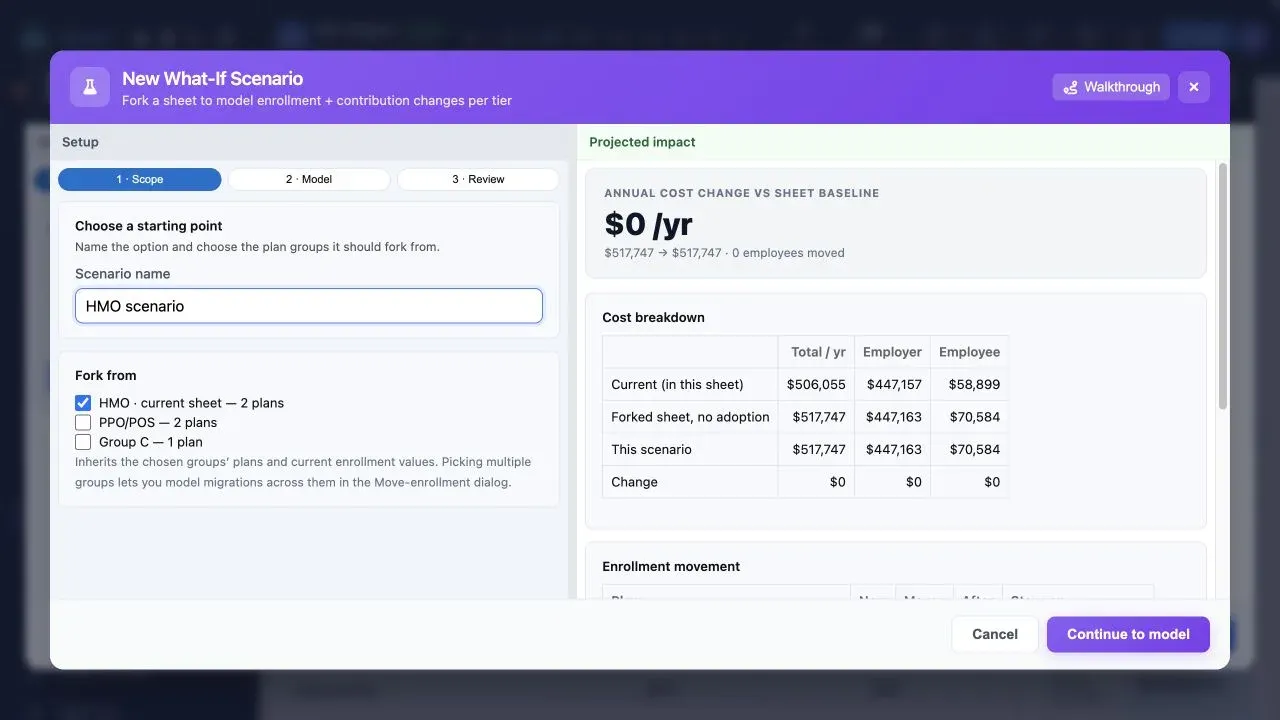
Why work in a scenario?
A client discussion often needs alternatives: a different employer contribution, another enrollment assumption, or a revised plan mix. Those alternatives should be easy to explore without quietly replacing the approved source case.
Scenario Manager separates exploration from adoption. The baseline remains a clear reference point while the working scenario captures the recommendation you are developing.
The practical workflow
1. Start from an approved baseline
Review the plan data against its source files first. Use that reviewed case as the baseline, so every comparison begins from information you are comfortable carrying into the client conversation.
2. Create a named working scenario
Name the scenario for the recommendation or decision it represents—not just the formula behind it. A clear name makes it easier to review internally and to revisit after a client meeting.
3. Compare the changes that matter
Work through contribution and enrollment choices while keeping the original case visible as the reference. Focus the review on the changes that affect the recommendation, rather than producing a collection of disconnected spreadsheet versions.
4. Adopt deliberately
When the scenario is ready, adopt it deliberately. The approved recommendation can then power the Proposal Book, Present Proposal, and Benefit Guide without losing the context of how it was developed.
Use scenarios to make the conversation clearer
- Keep the original case intact while a recommendation is still under review.
- Give internal reviewers a named, understandable place to evaluate a proposed change.
- Carry one approved recommendation into client and employee materials.
- Return to the baseline whenever the client asks for another direction.
Before you adopt a recommendation
- Confirm the source plan data and rates are correct.
- Review the contribution and enrollment assumptions with the case team.
- Check that the adopted scenario is the one reflected in delivery materials.
- Keep the baseline available for future comparison or renewal work.
Explore Scenario Manager
See how a safe working copy keeps recommendation work clear from intake through client delivery.