What-If Scenario Modeling for Benefits Brokers (2026 Guide)
Stop rebuilding spreadsheets for every client change request. Use what-if scenario modeling to test contribution strategies instantly, compare outcomes side-by-side, and present options with confidence.
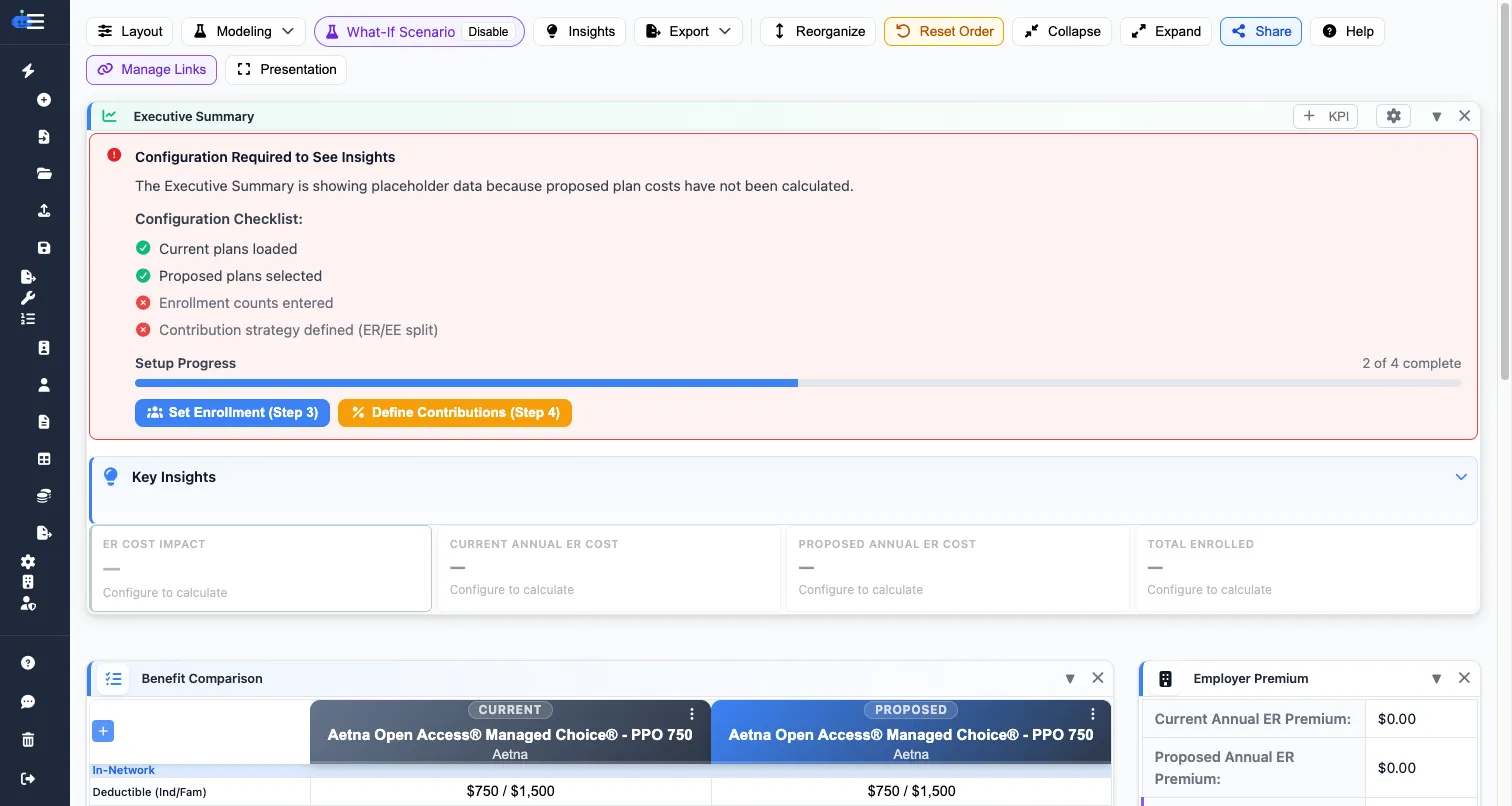
Why Scenario Modeling Matters
Most proposal revisions are not full rewrites. They are contribution tweaks, plan option shifts, and budget boundary tests. If your process requires editing formulas and copying tabs, your turnaround time suffers and error risk goes up.
- Model employer-driven and employee-driven contribution structures
- Compare baseline vs modified scenarios instantly
- Show per-tier and per-employee cost impact in one view
- Present clear tradeoffs without manual recalculation
A Practical 4-Step Workflow
1. Set a Baseline
Lock your current recommendation as the baseline before making edits. This gives you a stable reference for every what-if branch.
2. Create Named Scenarios
Build scenario names around business intent, not math. Examples: "Retention Focus", "Budget Cap", and "Balanced Split". This makes client review faster and keeps internal collaboration clear.
3. Compare Total and Per-Employee Impact
Always review both total employer cost and employee paycheck impact. A strategy that looks efficient at the group level can still create adoption problems if employee cost shifts are too aggressive.
4. Export Side-by-Side Recommendations
Bring the top two or three scenarios into your proposal export. Decision-makers respond better when they can compare outcomes directly instead of reviewing isolated tables.
Common Mistakes to Avoid
- Presenting too many scenarios without a recommended path
- Ignoring tier-level distortion (for example, family tier shock)
- Skipping assumptions documentation on census and enrollment mix
- Treating scenario modeling as one-time instead of iterative during negotiations
Recommended Output for Client Meetings
For each scenario, include:
- Total annual employer cost
- Average employee monthly delta by tier
- Largest positive and negative employee impact
- One-line recommendation and rationale
Run Scenario Modeling Without Spreadsheet Rework
Use BART to create unlimited what-if versions, compare results in seconds, and export clean client-ready recommendations.