How to Present Benefit Options to Clients
A complete guide for benefits brokers on creating compelling presentations that win renewals and impress clients.
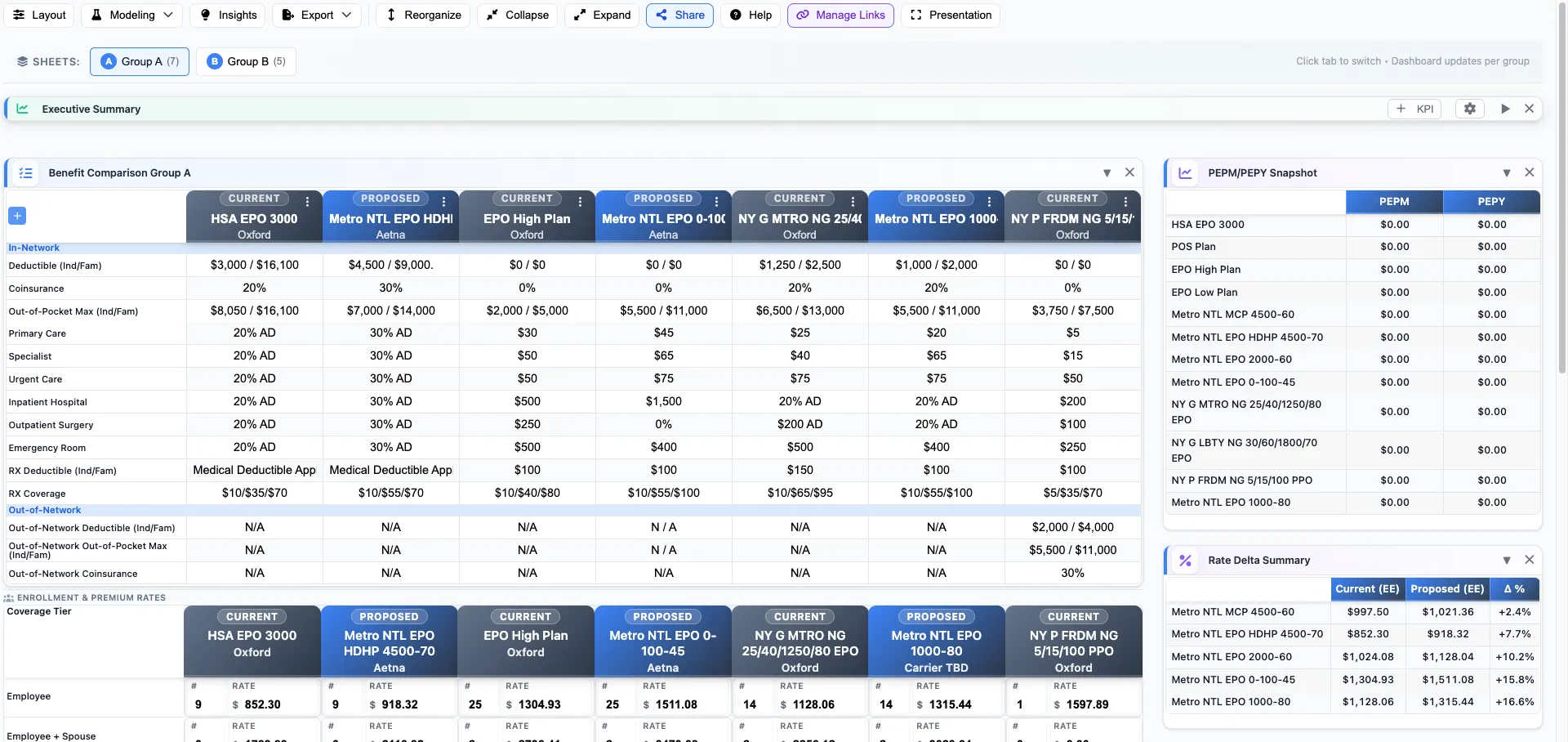
The presentation is often where deals are won or lost. You've done the analysis, gathered the quotes, and built the comparison—now it's time to present. Here's how to deliver a benefits presentation that positions you as a trusted advisor and closes the renewal.
Know Your Audience
Before you open PowerPoint, understand who's in the room. Different stakeholders care about different things:
- CFOs and Controllers want bottom-line costs, budget predictability, and ROI
- HR Directors care about employee satisfaction, administration burden, and compliance
- Business Owners want the big picture—competitive positioning and total compensation strategy
- Benefits Committees need enough detail to feel confident in their recommendation
Tailor your presentation to your primary audience, but be prepared to address concerns from all stakeholders.
Structure Your Presentation
A well-structured presentation follows a logical flow that builds toward your recommendation:
1. Start with the Story
Open by acknowledging where they are: "Your renewal came in at a 12% increase, which I know is concerning." This shows you understand their situation before diving into solutions.
2. Present the Landscape
Provide context about the market: trend rates, what you're seeing with similar groups, and factors affecting their specific quote (claims, age band shifts, etc.).
3. Show Your Work
Walk through your process: how many carriers you approached, what criteria you used to evaluate options, and how you arrived at your shortlist. This builds credibility.
4. Present Options (Not Too Many)
Three options is ideal: a conservative choice, a moderate change, and a more aggressive alternative. More than four options creates decision paralysis.
5. Make a Clear Recommendation
Don't be wishy-washy. State clearly which option you recommend and why. Clients hire brokers for expertise—use it.
6. Address Implementation
If your recommendation involves change, address the "how" upfront. Timeline, communication plan, and transition support demonstrate you've thought beyond the sale.
Visual Design Best Practices
Your slides should enhance your message, not compete with it:
- One idea per slide. If you're scrolling through dense tables, you've lost them.
- Use comparison tables strategically. Side-by-side comparisons are powerful but should highlight differences, not drown in data.
- Visualize the numbers. A bar chart showing premium differences is more impactful than a spreadsheet.
- Brand appropriately. Professional doesn't mean boring, but avoid clip art.
- Leave whitespace. Cramped slides feel desperate. Confident presentations breathe.
Handling Common Objections
"It's too expensive"
Reframe the conversation: What's the cost of not offering competitive benefits? Show the total compensation picture, not just premium cost. Discuss contribution strategies that spread the impact.
"We don't want to change carriers"
Acknowledge the disruption, then quantify the cost of loyalty. Show what employees give up by staying. Highlight transition support and communication plans.
"We need to think about it"
Set a clear timeline. "I understand. The quote is valid until [date]. What additional information would help you decide?" Never leave without a next step.
"Can you get a better rate?"
If you've already negotiated, be honest. Explain what you've done and what's realistic. Offering false hope damages trust.
The Close
Every presentation should end with a clear ask:
- Summarize your recommendation in one sentence
- State the deadline for decision
- Outline immediate next steps
- Offer to answer questions
The best closes feel natural because the entire presentation has been building toward them.
After the Meeting
Your work isn't done when you leave the room:
- Send a recap email within 24 hours summarizing key points and next steps
- Provide leave-behind materials they can share with decision-makers who weren't present
- Follow up on schedule without being pushy
- Be available for questions that arise during their deliberation
Tools That Help
The best presentation in the world can't save a sloppy analysis. Use tools that help you:
- Generate accurate, normalized plan comparisons
- Model contribution scenarios quickly with what-if analysis
- Create professional, branded exports in PDF, PowerPoint, and more
- Update materials instantly when quotes change
BART handles the data work so you can focus on the relationship.
Create Better Client Presentations
BART generates professional, branded comparisons in minutes—so you can focus on the client relationship.