The 5-Step Benefit Proposal Workflow Every Broker Should Use
Stop reinventing the wheel with every proposal. Follow this proven workflow to create professional benefit proposals in 30 minutes or less.
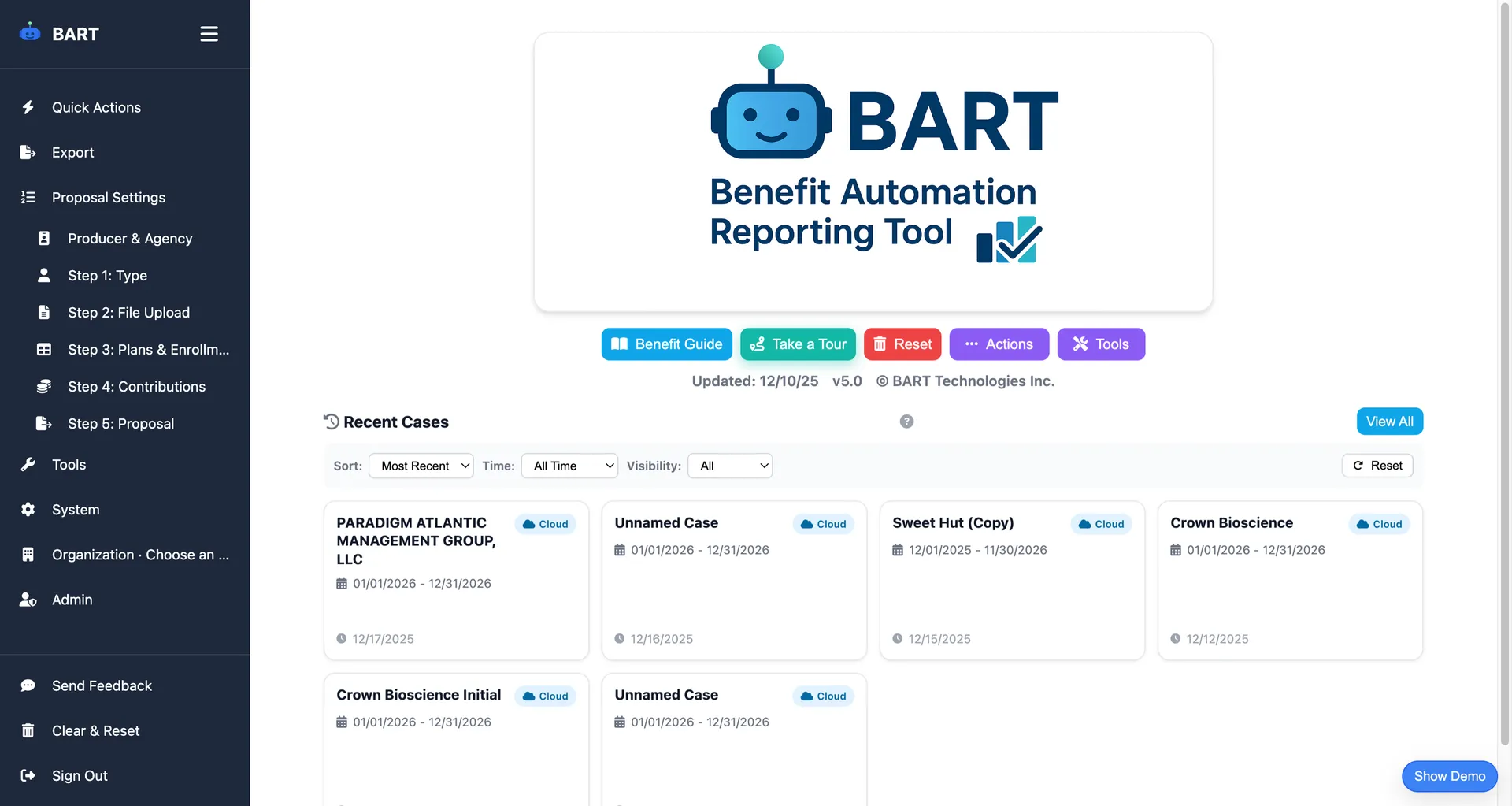
Why You Need a Standardized Workflow
The most successful benefits brokers don't create proposals differently each time. They follow a consistent, repeatable process that ensures quality while maximizing efficiency.
A standardized workflow helps you:
- Complete proposals faster (30 minutes vs. 6+ hours)
- Reduce errors by following the same steps every time
- Onboard new team members quickly
- Scale your business without proportionally increasing workload
Here's the 5-step workflow that top brokers use:
Step 1: Set Up Client Information
Every proposal starts with capturing the basics. This information drives everything else in the workflow.
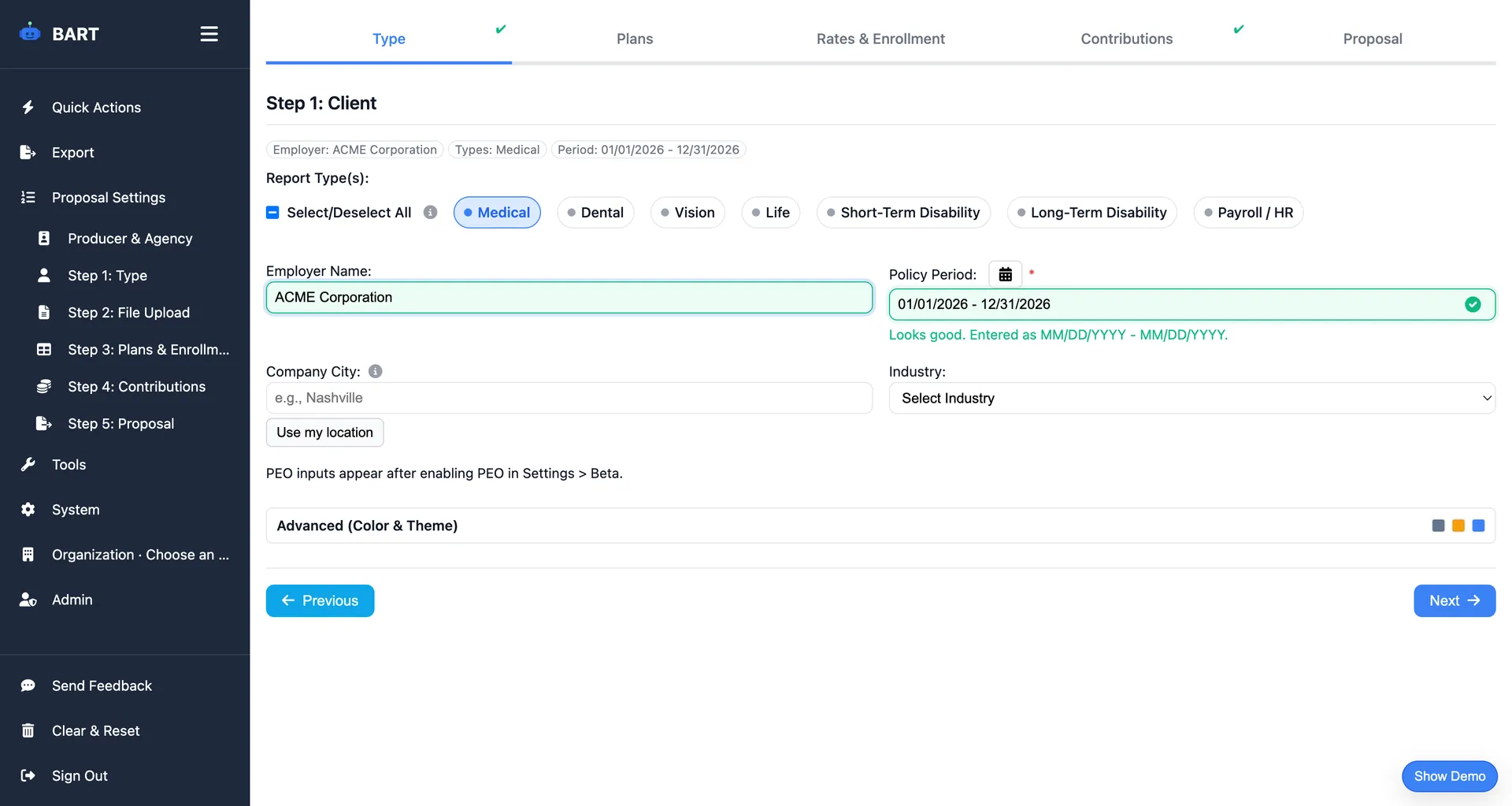
Information to capture:
- Client/company name
- Plan year dates (effective date and renewal date)
- Benefit types to compare (Medical, Dental, Vision, Life, STD/LTD)
- Whether this is a new client or renewal
Time: 2 minutes
This step sets up your case and determines which benefit types you'll be comparing. Get this right and everything else flows smoothly.
Step 2: Upload Documents
Instead of manually typing data from carrier documents, upload them directly. Modern tools use AI to extract the information automatically.
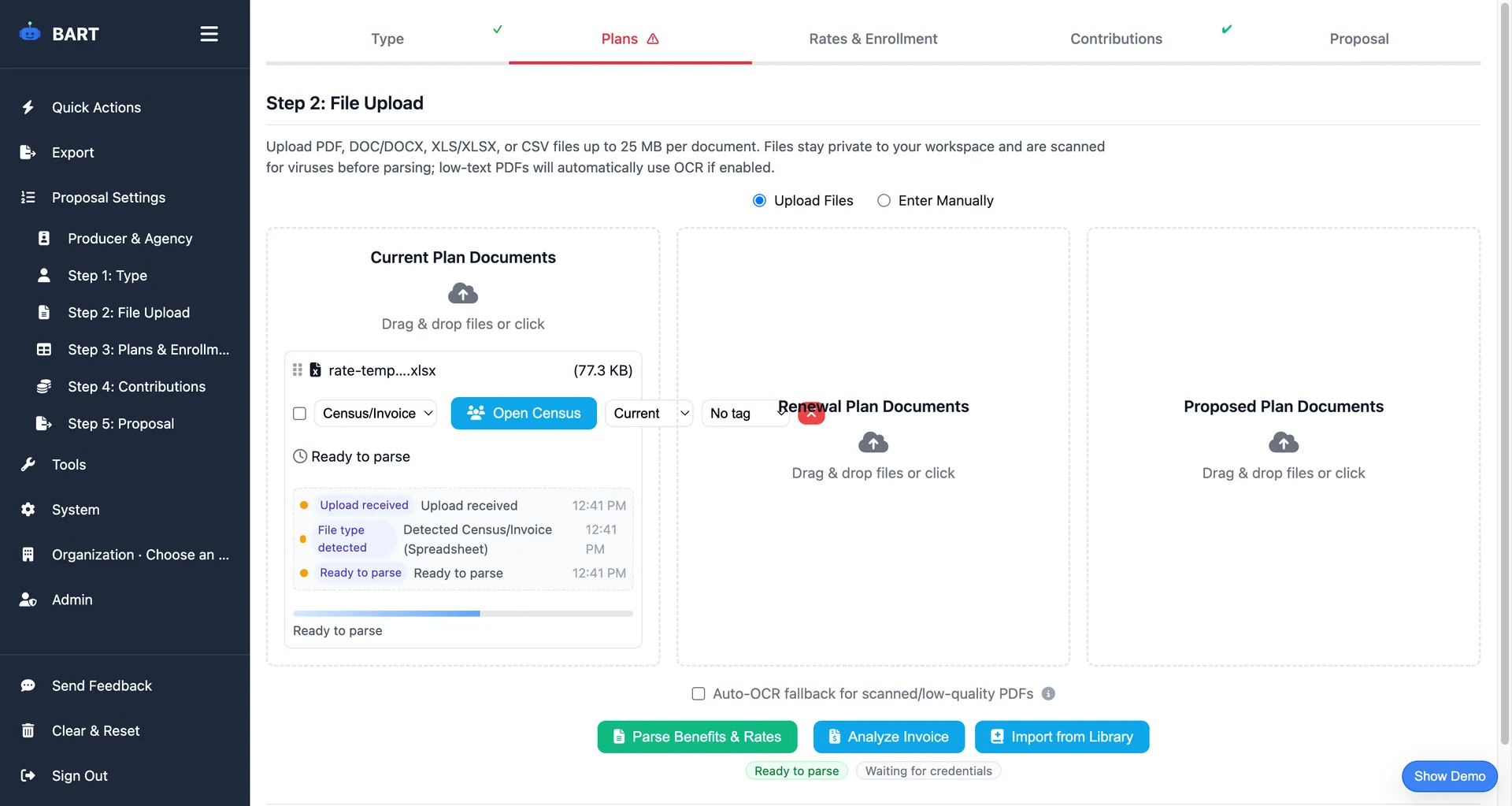
Documents to upload:
- Carrier rate sheets and quotes
- Summary of Benefits and Coverage (SBC) documents
- Current plan invoices
- Census/enrollment data
- Benefit summaries from carriers
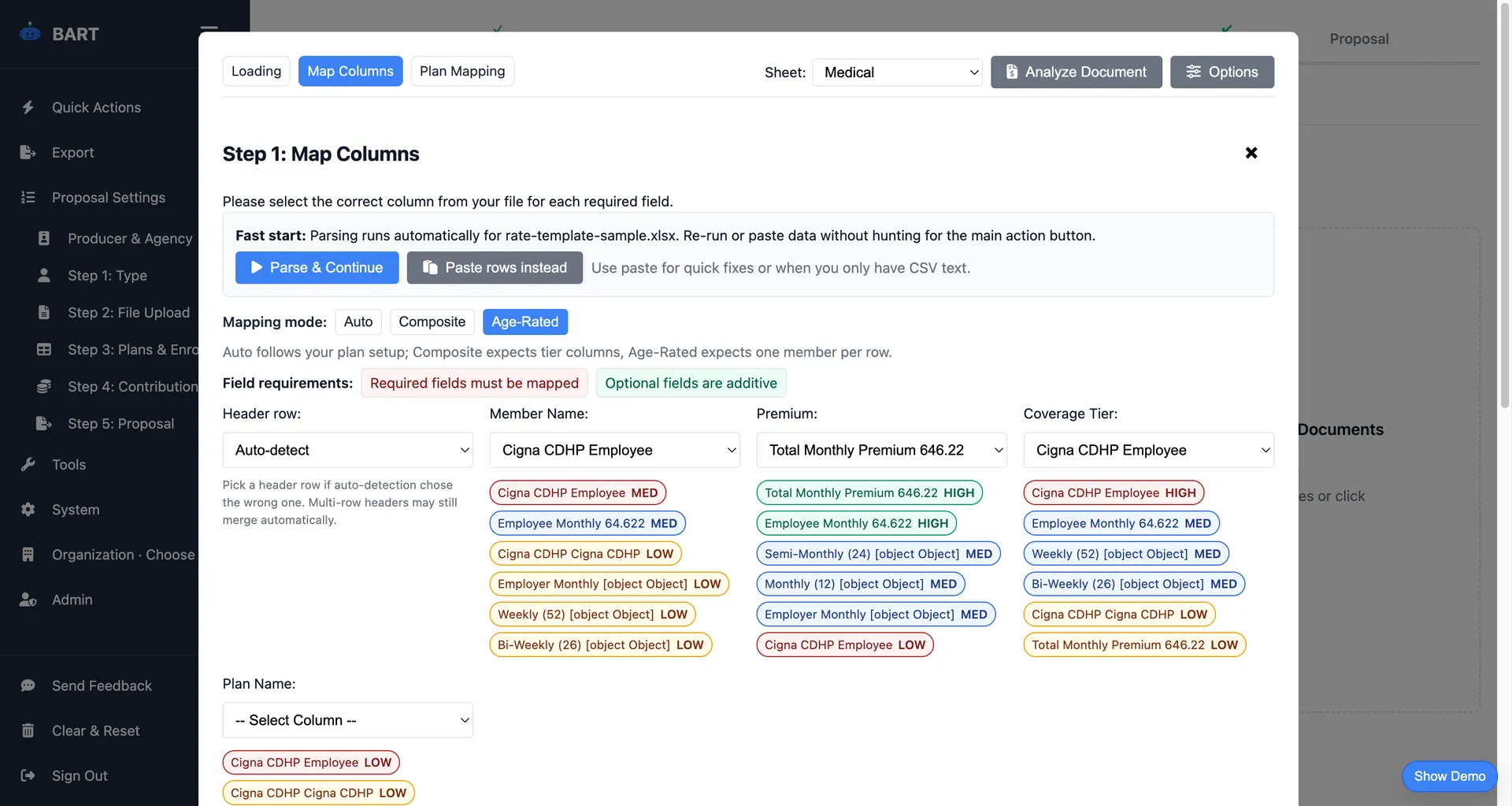
Time: 5 minutes
AI-powered parsing extracts plan details, rates, and coverage information automatically. What used to take 1-2 hours of manual data entry now happens in minutes.
Step 3: Configure Plans
Once your documents are parsed, review and configure your plan comparison. This is where you ensure all the data is accurate and organized correctly.
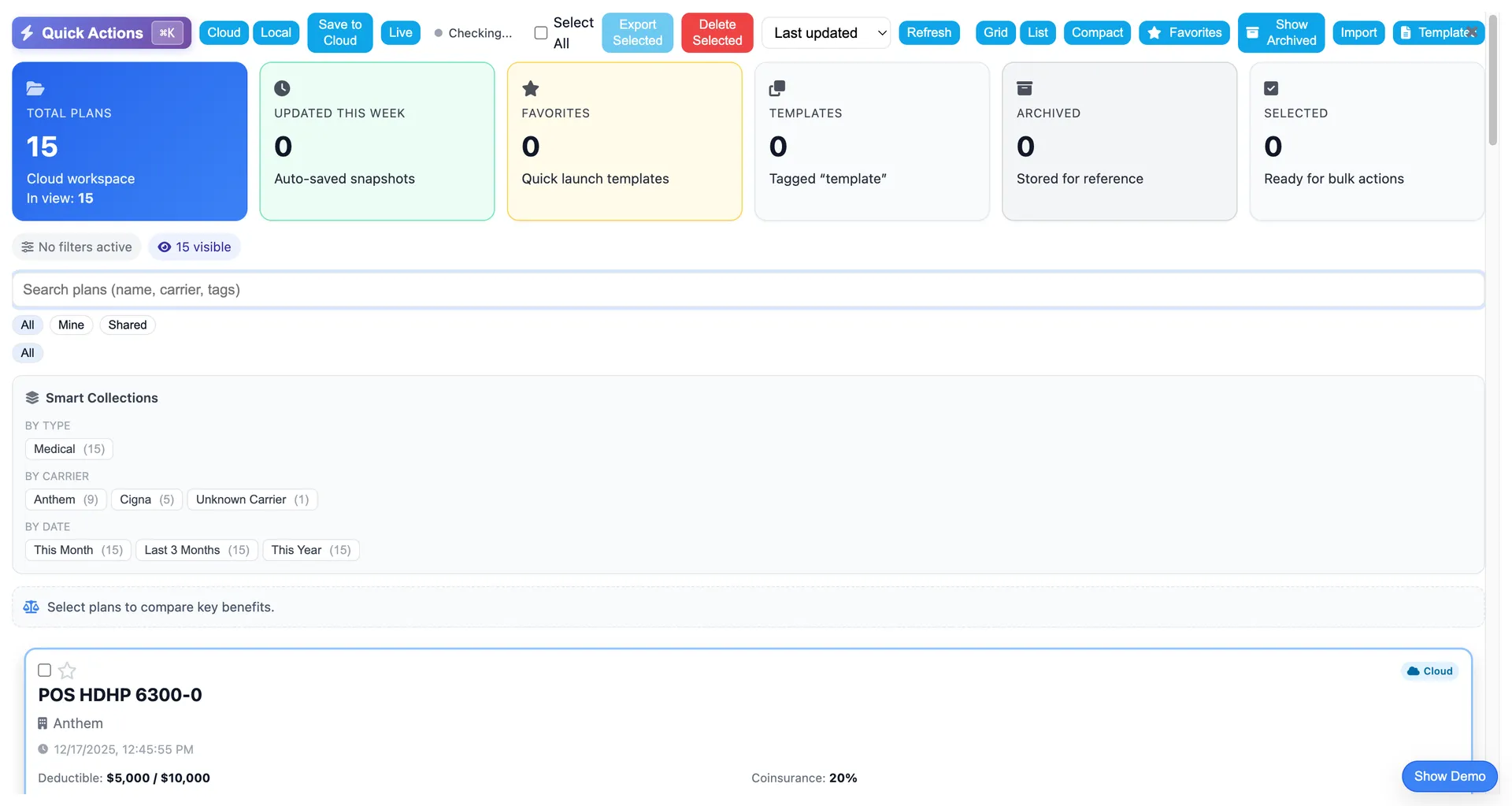
Configuration options:
- Review parsed plan data and make corrections if needed
- Add plans from your saved plan library
- Manually enter plan data when documents aren't available
- Organize plans as Current, Renewal, or Alternative
- Set plan display order for comparisons
Time: 10 minutes
Most of this time is spent reviewing data accuracy, not entering it. The more you use the system, the faster this step becomes as you build your plan library.
Step 4: Model Contributions
This is where proposals come to life. Set up employer/employee contribution structures and see real-time cost calculations across all plans.
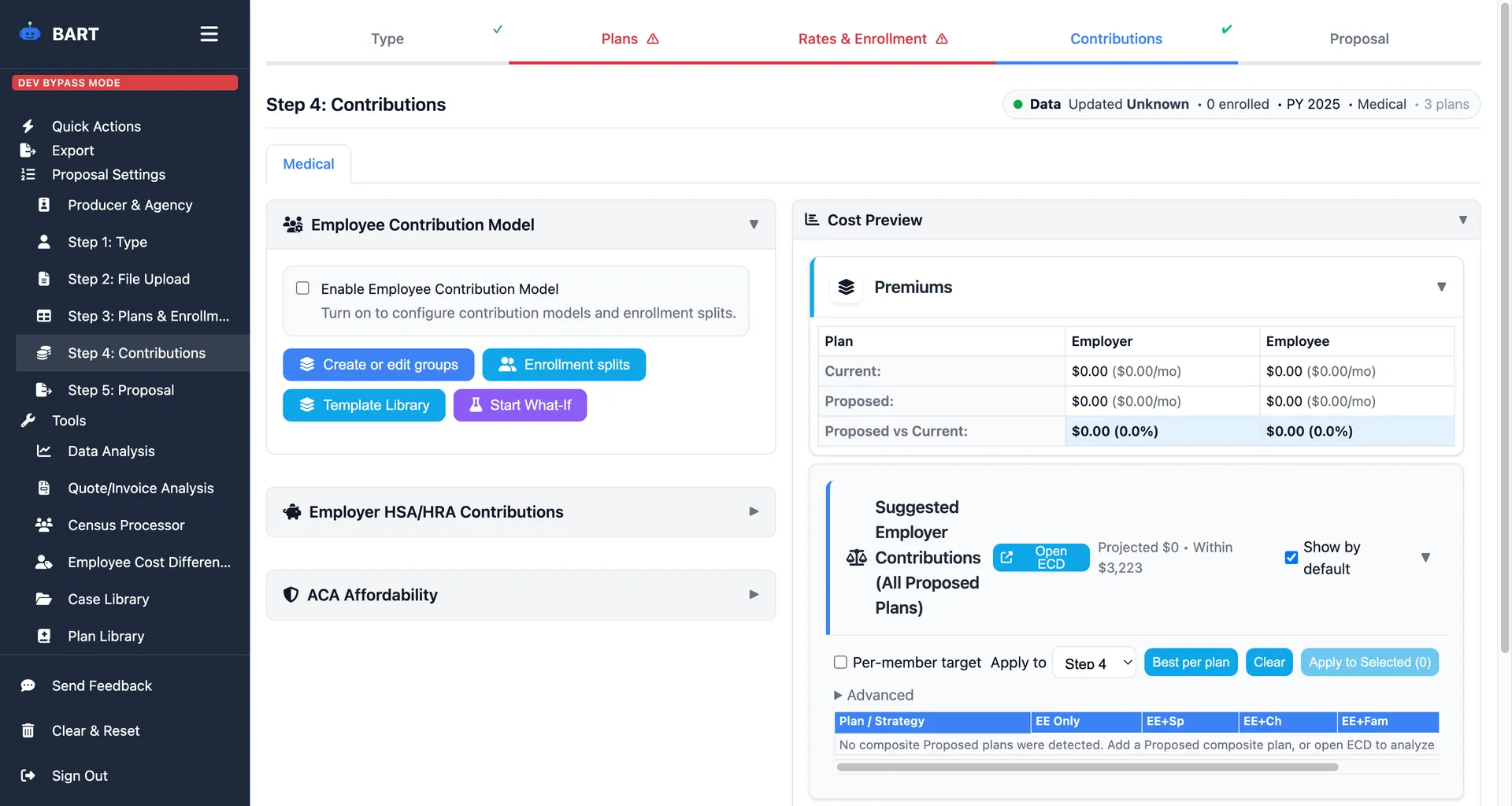
Contribution structures supported:
- Flat Dollar - Fixed employer amount per tier
- Percentage - Employer pays X% of premium
- Tiered - Different rates per coverage level
- Composite - Blended single rate
- Age-Banded - Contributions vary by age
Time: 5-10 minutes
Real-time calculations mean you can quickly test different scenarios. What-if analysis that used to take hours now happens instantly.
Step 5: Preview and Export
Review your complete proposal with AI-generated insights, then export in the format your client needs.
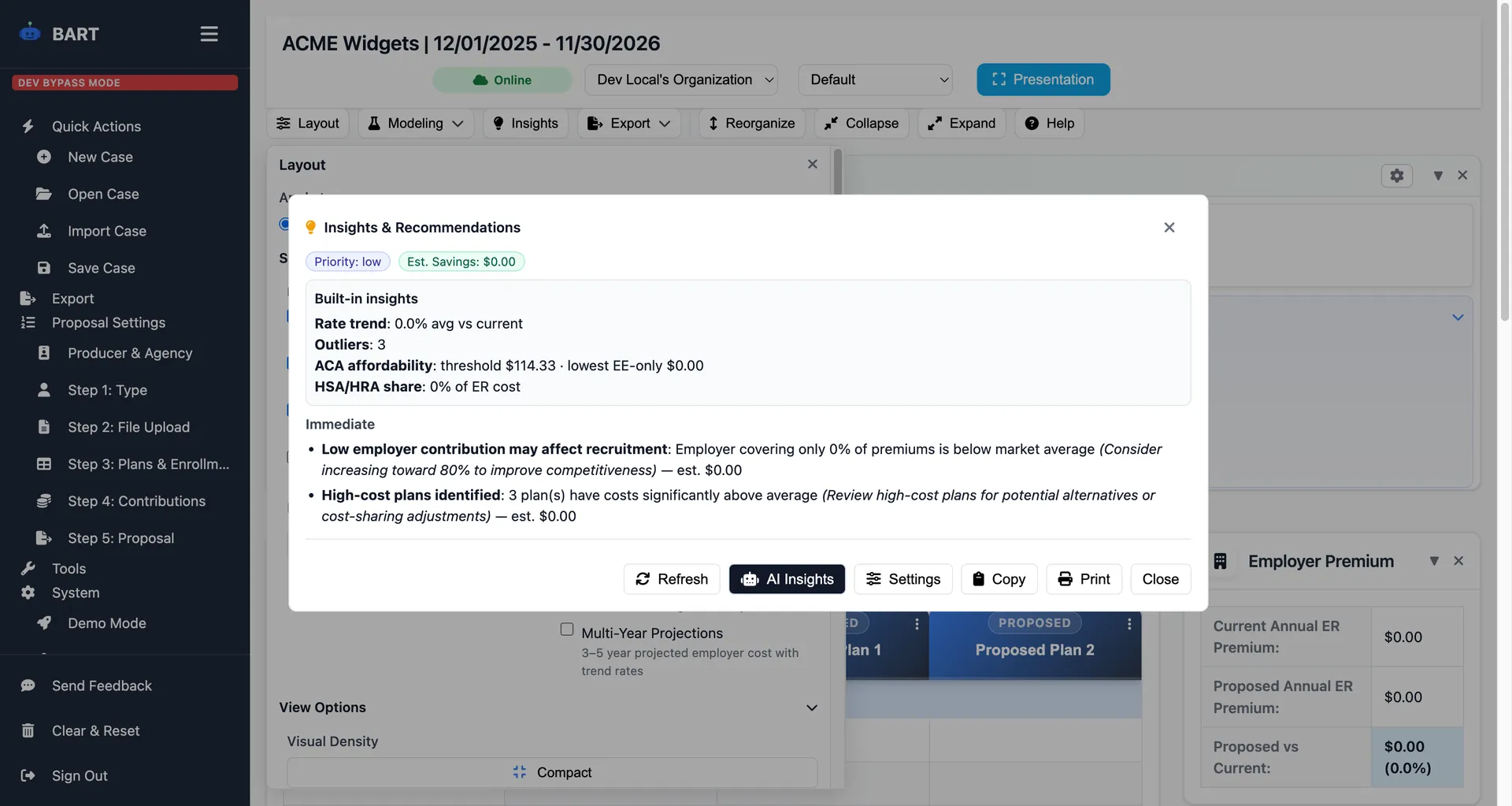
What to review:
- Executive summary with cost comparisons
- AI-generated insights highlighting key findings
- ACA compliance status
- Side-by-side plan comparisons
- Employee cost breakdowns
Export options:
- PDF - Professional print-ready documents
- Excel - Detailed spreadsheets for analysis
- PowerPoint - Presentation slides
- Interactive HTML - Shareable web links
- Benefit Guide - Employee-facing documentation
Time: 5 minutes
AI insights surface the most important findings automatically. Export in multiple formats with one click.
Total Time: 30 Minutes or Less
| Step | Time |
|---|---|
| 1. Client Setup | 2 min |
| 2. Document Upload | 5 min |
| 3. Plan Configuration | 10 min |
| 4. Contribution Modeling | 8 min |
| 5. Preview & Export | 5 min |
| Total | ~30 min |
Compare this to the 6-8 hours most brokers spend creating proposals manually, and you can see why a standardized workflow makes such a difference.
Ready to Transform Your Workflow?
BART is built around this exact 5-step workflow. Try your first proposal free and see how much time you can save.
Tips for Workflow Success
Build Your Plan Library
Save plans as you create them. Over time, you'll build a library of carrier plans that can be reused, dramatically speeding up Step 3.
Use Templates for Common Scenarios
Create templates for your most common proposal types. New business vs. renewal, small group vs. large group, etc.
Standardize Your Document Collection
Create a checklist of documents you need from carriers. The more consistent your inputs, the smoother your workflow.
Review Before Export
Always review AI-parsed data before sending to clients. While 95%+ accurate, a quick review catches any edge cases.
Conclusion
A standardized workflow isn't about removing creativity or customization from your proposals. It's about eliminating the repetitive, time-consuming tasks so you can focus on what matters: providing strategic advice to your clients.
Start with these 5 steps, refine them for your business, and watch your productivity soar.